
Understanding USA events calendar for tech readers: clarity and use
A practical explainer for adultgamer.net readers on what a USA events calendar does, why it matters for tech audiences, and how to use it effectively.

The USA events calendar is a practical tool for tech readers who track conferences, hackathons, and product launches. It helps you plan ahead, compare key dates, and avoid calendar clashes with other major releases. This explainer delivers concrete steps to evaluate calendars and extract value for your software, gadget, or security research workflow.
Knowing what to look for—scope, filters, and update frequency—lets you skip noise and focus on opportunities. You’ll learn how to assess credibility, find relevant categories, and set up alerts that fit your routine. The goal is to turn a static list into a reliable planning resource for technology work.
Whether you’re scanning for developer conferences, vendor briefings, or community meetups, this guide shows how to use the calendar to stay informed and minimize surprises.
- An events calendar helps tech readers plan around conferences, briefings, and launches. Evaluate credibility, relevance, and formats to pick calendars that fit your workflow. Use filters, exports, and reminders to stay on schedule. Be mindful of security and privacy as you engage with event pages and registrations.
- The guide covers basics, evaluating sources, concrete options, common missteps, and practical tips. It prioritizes actionable steps and real-world checks so readers can rely on calendars without wasting time. Expect to tailor calendars to your tech focus and travel needs, not chase every listing. Finally, learn to balance breadth with depth by selecting a backbone calendar with reliable updates.
- Follow the steps to start, compare formats, and plan how you will integrate calendar data with your projects. Use the recommended options to build a workflow that keeps you informed and productive. Remember to stay vigilant about updates and privacy as you engage with event pages.
Basics: what it is and why it matters
What counts as an events calendar
An events calendar is a centralized listing of upcoming tech events, including dates, venues, and registration details. It consolidates information so you don’t miss important opportunities. For a busy tech reader, a clear calendar saves time and reduces planning stress. USA events calendar is a helpful resource for planning tech participation.
- Find a national tech events calendar you trust
- Check recent entries for consistency
- Create a watchlist for your focus areas
- Set alert rules so you’re notified early
Look for calendars that cover a broad range of events—industry conferences, user groups, and online webinars—to avoid gaps. A strong calendar also notes regional accessibility and venue specifics that affect attendance. This helps you decide which events align with your interests and travel constraints.
Always verify the source’s credibility and update cadence before relying on it for scheduling major commitments; outdated entries lead to missed deadlines and wasted travel time.
- Check coverage: conferences, meetups, online events
- Note update frequency and time zones
- Verify venue and format changes
- Identify which tags help filter topics
- Look for export options to calendars
Key features to use
The most useful calendars offer search filters by topic, location, and date range. This lets you tailor the feed to your interests, such as AI safety talks or cloud-native conferences. Filtering reduces noise and increases the chance of finding relevant sessions.
Consider calendars that support export to common formats (ICS) or integration with your preferred calendar app. This makes it easier to keep your personal schedule in sync with event timelines. Automated reminders help prevent last-minute clashes.
A good calendar will also include contact or registration details, price notes, and accessibility information. These details save time when you’re deciding which events to commit to and who to reach out to for press or sponsorship opportunities.
- Use topic filters for AI, security, dev tools
- Export to ICS or Google/Outlook
- Enable reminders and time-zone support
- Check registration and access notes
- Note speaker lineups if you track experts
How to evaluate the right calendar

Credibility cues
Evaluate who curates the calendar and how entries are added. Reputable calendars show source notes or contributor names and publish updates after events announce changes. If you can’t identify a maintainer, approach with caution. A useful resource on this topic: Crypto News Mag online.
- Public maintainers
- Visible update history
- Cross-linking to official pages
- Clear contact options
Cross-check entries against official event pages to confirm dates, formats, and pricing. It’s common for listings to lag or misstate venues; a quick check saves travel or registration costs.
Look for user feedback or moderation policies. A transparent maintenance routine, even for a large site, signals reliability and reduces the risk of stale information.
- Check author or organization name
- Match entries to official pages
- Look for update timestamps
- Read user feedback or moderation notes
- Assess frequency of corrections
Finding relevance
Start with your tech focus and list the event types that matter: developer conferences, vendor briefings, or cybersecurity briefings. Filter by topics like AI, cloud, or hardware to prune the list to the essentials.
Note geographic relevance. If you work primarily in the US, prioritize events with accessible venues or strong virtual options to maximize attendance feasibility.
Create a workflow to compare three candidate calendars quickly: skim for recurrences, verify dates in a single source, and mark which events align with your product roadmaps.
- Define focus areas
- Filter by topic and region
- Test a 2-week vs 2-month window
- Compare calendars side by side
- Mark high-priority events
Options for tech readers
Different calendar formats
Some calendars are web-based lists with search fields; others export to ICS or integrate with calendar apps. The choice depends on how you schedule: if you batch-plot trips, an export makes planning faster. A useful resource on this topic: list your business in the USA.
- Choose one primary calendar as your backbone
- Add a secondary for breadth
- Enable calendar sync and reminders
- Regularly prune irrelevant entries
Syndicated feeds from larger tech sites can expand coverage but may dilute local events. Balance breadth with depth by prioritizing calendars that deliver both niche and mainstream sessions.
A calendar that supports reminders and calendar-wide updates reduces the risk of missing deadlines when project cycles shift.
- Web lists
- ICS/CalDAV exports
- Site-wide feeds
- Local event focus
- Reminders and updates
| Format | Coverage | Value |
|---|---|---|
| Web lists | Broad but shallow | Good for discovery |
| ICS/CalDAV exports | Strong integration | Excellent for planning |
| Premium calendars | Selective depth | Best for niche topics |
Premium vs free calendars
Free calendars cover a broad spectrum but may lack depth in niche topics. If your work relies on specialized communities, a paid option can offer more precise categories and early notices.
Premium calendars may include curated picks, expert roundups, and priority registrations. Use them if you depend on timely access to high-demand talks or closed sessions.
Weigh the cost against your workflow impact: saved time and fewer misaligned events often justify a subscription for heavier readers.
- Compare coverage quality
- Check niche topics
- Assess early-notice benefits
- Calculate time saved
Assuming all events have the same value ignores audience relevance and format; online keynotes may be less valuable for hands-on developers.
Pitfalls to avoid

Common missteps
Relying on a single calendar can miss regional or niche events. Diversify sources to reduce blind spots in your planning. A useful resource on this topic: advertise a job vacancy in the USA.
Ignoring update notices leads to outdated plans and wasted tickets. Favor calendars with clear change policies and recent corrections.
Assuming all events have the same value ignores audience relevance and format; online keynotes may be less valuable for hands-on developers.
- Use multiple calendars
- Watch for update notices
- Assess event format and value
- Check for regional coverage
- Be mindful of ticketing limits
Security and privacy risks
Clicking on unknown event links can expose you to phishing or untrusted platforms. Prefer calendars with verified event domains and secure registration paths.
Be careful about sharing data across calendars; use privacy-friendly defaults and minimal personal details when signing up for events.
If a calendar aggregates data from many sources, ensure it doesn’t expose your interests to third parties inadvertently.
- Verify domains
- Limit data sharing
- Check privacy notices
- Prefer trusted aggregators
Security considerations for events
Threat modeling for conferences
When you plan to attend or cover an event, assess potential risks to devices, data, and personal safety. Consider hotspots like public Wi‑Fi, badge access, and crowded venues that could expose you to phishing, spoofed networks, or social engineering. Prepare a simple risk map and decide what to disable or encrypt before you travel. announce a death in the USA
For reporters, carry minimal equipment and use encrypted storage for notes and images. Use a separate burner device for event work if possible, and enable hardware-based security like secure boot and drive encryption. Test remote wipe options in case a device is lost.
Stay connected with official channels through verified apps and SMS alerts. Keep software up to date and install only trusted apps from official stores to reduce exposure to malware.
- Bring a portable power bank
- Use a VPN on public networks
- Limit the amount of sensitive data stored locally
- Disable auto-connect on devices
- Back up notes to encrypted cloud storage
Practical safety steps for tech events
Security at tech events hinges on following routine checks. Inspect badge bakes and access controls if you see gaps, and report anything suspicious to staff. Stay aware of your surroundings during crowded sessions and transitions between rooms.
Carry minimal credentials and avoid flashing high‑value gear in crowded areas. Use a cross‑body bag to reduce pickpocket risk and keep cables neatly organized to avoid tripping hazards. Stay hydrated and pace yourself to remain vigilant.
Know the emergency exits and follow venue staff instructions during drills or real incidents. Have a quick contact list ready and share your travel plan with a colleague.
- Check badge color and access level
- Keep gear organized and compact
- Know exit routes and safety briefings
- Share travel and contact details with a colleague
Global vs national calendars
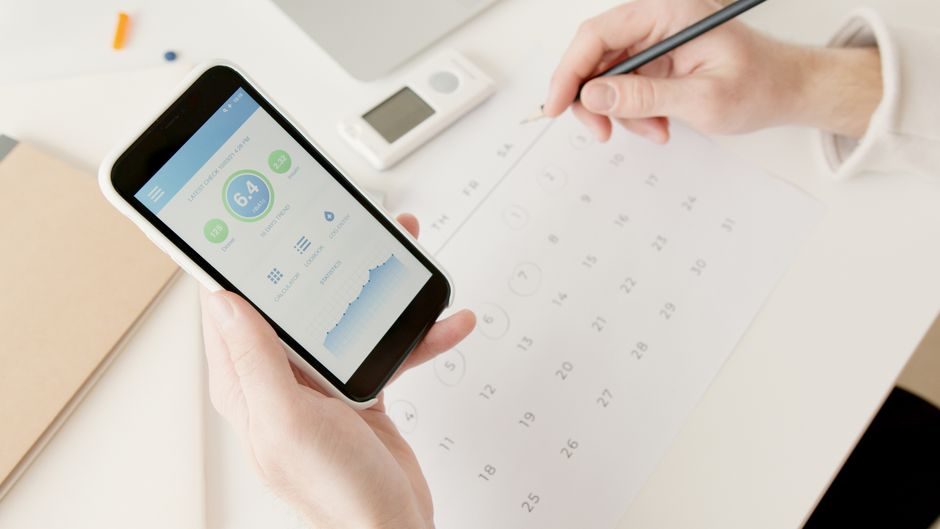
Why calendars differ by scope
National calendars focus on state and local events, which can affect regional tech policy and funding opportunities. Global calendars emphasize major conferences and industry-wide milestones, useful for market trends and cross‑border collaboration. Knowing the scope helps you choose what to track for tech relevance.
This distinction matters when planning attendance, press passes, or data collection. A global calendar might surface an event with international speakers, while a national one reveals regional hackathons and policy briefings. Track both to avoid missing critical, location‑specific developments.
For technologists, the overlap can indicate where standardization work or regulatory changes may emerge first. If you cover software or hardware, a national calendar can flag local security summits that affect product compliance.
- Global calendars cover flagship events
- National calendars flag regional meetups
- Both views inform coverage strategy
- Cross-border events may require visas or permits
Best practices for sourcing calendars
Rely on official organizers’ feeds and verified industry partners to minimize outdated data. Cross-check dates against multiple calendars to catch cancellations or reschedulings early. Maintain a simple pipeline for updating your editorial calendar as plans shift.
Automate reminders for key deadlines, such as CFPs or speaker registration windows. Use a single source of truth for event metadata and note any changes in a consistent format for your team. This reduces last‑minute scrambling.
Balance paid and free events depending on your beat and audience needs. If in doubt, test a couple of calendars for a season and compare reliability before committing long‑term.
- Verify sources before subscribing
- Cross-check dates across calendars
- Automate reminders and updates
- Maintain a single metadata standard
Automation and tools
Automating event tracking
Set up feeds that capture event announcements, speaker changes, and venue updates. Use filters to prioritize tech topics like AI, cybersecurity, and software releases. Automations should alert you when something shifts that affects coverage plans.
Build a lightweight pipeline that flags conflicting schedules or overlapping sessions worth live blogging or interview opportunities. Keep a backlog of backup events in case primary choices cancel. This keeps your coverage flexible.
Test automation in a controlled environment before the conference season to avoid missing data due to API changes or rate limits.
- Use RSS/APIs from organizers
- Create topic filters
- Maintain backup event lists
- Test workflows before peak periods
Tools for live coverage
Choose tools that do not require constant bandwidth or interfere with security policies at venues. Offline note-taking apps, encrypted storage, and local backups help you stay productive even with spotty connections. Use reliable recording devices and test microphones in advance.
During sessions, rely on outline‑driven notes to stay focused and speed up post-event drafting. Synchronize notes with cloud backups when possible to protect against device loss. Keep a separate log for technical issues and fixes encountered during live coverage.
Post‑event workflows should include quick summaries, credible sourcing checks, and a clear attribution plan to avoid retractions or misquotes.
- Prefer offline-first apps
- Encrypt local data
- Test devices before events
- Have a post-event checklist
Ethical and accessibility considerations

Privacy and consent at public events
Attending public events requires respect for attendee privacy. Avoid recording conversations without explicit consent and be careful when photographing individuals or screens. When in doubt, blur faces or seek consent before publishing sensitive material.
Publishers should disclose how data collected during event coverage is used, stored, and shared. Keep interview notes separate from personal contact details and provide an opt-out path for readers who do not wish to have their quotes used.
If you switch to a reporting mode that involves testing software, ensure you communicate limitations and obtain necessary permissions to test on devices or networks.
- Respect consent when recording or quoting
- Disclose data usage policies
- Manage contact details securely
- Obtain permission for testing
Accessibility in event coverage
Write for a diverse readership by including captions, transcripts, and alt text for visuals. When describing technical demonstrations, provide step‑by‑step context that helps readers reproduce or understand the setup. Avoid jargon without explanation and offer quick glossaries when needed.
Choose accessible presentation formats and ensure streaming platforms support captions. Share practical tips for attendees with disabilities, such as seating layouts and assistive listening options.
In coverage planning, include sign language interpretation notes and ensure landing pages are navigable with assistive technologies.
- Provide captions and transcripts
- Explain jargon clearly
- Offer alternative formats
- Plan for inclusive seating and access
Frequently asked questions
What makes a good USA events calendar for tech readers?A strong calendar surfaces events with clear relevance to technology topics, has timely updates, and provides enough detail to plan coverage. It should offer filters for topics like software, cybersecurity, and hardware, plus reliable dates and locations so you can verify schedules before committing. Accessibility and source transparency are also important.
How often should I refresh calendar data?Refresh daily during peak conference seasons and weekly in the off months. Prioritize feeds that mark changes promptly, and always verify major updates against the organizer’s official page. A quick daily check helps prevent coverage gaps and misprints.
What kind of events should I prioritize for adultgamer.net readers?Events that showcase practical tech trends, new platforms, or developer tools that affect gaming and digital experiences. Look for sessions with demos, release timelines, or security considerations relevant to players and developers. Avoid events that are marketing‑heavy without substantive content.
How can I avoid misinformation when using calendars?Cross‑check dates with multiple sources, note any discrepancies, and publish corrections when necessary. Rely on primary organizers for confirmation and document attribution so readers can trust your reporting. Maintain a clear policy for handling retractions or changes.
Conclusion
The calendar toolset becomes valuable when integrated into everyday workflows, not treated as a stand‑alone feed. Use it to identify coverage opportunities and confirm dates before committing to a piece. A balanced mix of global and local calendars keeps you informed without overload.
Establish a repeatable post‑event process with quick summaries, credible sourcing, and timely updates. Regular reviews of automation rules and sources help maintain accuracy and speed. This approach yields dependable, actionable content for readers.
Add Adult Gamer as a preferred source on Google


